1. Functions#
1.1. Overview#
മിക്കവാറും എല്ലാ programming-ഉം നൽകുന്ന അതിയായി ഉപയോഗപ്രദമായ ഒരു construct ആണ് functions.
നമ്മൾ ഇതിനകം പല functions-ഉം കണ്ടുകഴിഞ്ഞു, ഉദാഹരണത്തിന്
NumPy-യിലെ
sqrt()function-ഉംbuilt-in ആയ
print()function-ഉം
ഈ lecture-ൽ നമ്മൾ
functions-നെ systematic ആയി treat ചെയ്യുകയും syntax-ഉം use-cases-ഉം cover ചെയ്യുകയും ചെയ്യും, ഒപ്പം
നമ്മുടെ സ്വന്തം user-defined functions എങ്ങനെ build ചെയ്യാമെന്ന് പഠിക്കും.
താഴെ കാണുന്ന imports നമ്മൾ ഉപയോഗിക്കും.
import numpy as np
import matplotlib.pyplot as plt
1.2. Function Basics#
ഒരു പ്രത്യേക task implement ചെയ്യുന്ന, പേരുള്ള ഒരു program-ന്റെ section ആണ് function.
ഇതിനകം ധാരാളം functions നിലവിലുണ്ട്, അവയെ അതേപടി ഉപയോഗിക്കാം.
ആദ്യം നമ്മൾ ഈ functions review ചെയ്യാം, എന്നിട്ട് നമ്മുടെ സ്വന്തം functions എങ്ങനെ build ചെയ്യാമെന്ന് discuss ചെയ്യാം.
1.2.1. Built-In Functions#
import ഇല്ലാതെ ലഭ്യമായ കുറേ built-in functions Python-ൽ ഉണ്ട്.
ഇവയിൽ ചിലത് നമ്മൾ ഇതിനകം കണ്ടുകഴിഞ്ഞു
max(19, 20)
20
print('foobar')
foobar
str(22)
'22'
type(22)
int
Python built-ins-ന്റെ പൂർണ്ണമായ list ഇവിടെ കാണാം.
1.2.2. Third Party Functions#
built-in functions നമുക്ക് വേണ്ടത് cover ചെയ്യുന്നില്ലെങ്കിൽ, നമുക്ക് ഒന്നുകിൽ functions import ചെയ്യേണ്ടിവരും, അല്ലെങ്കിൽ സ്വന്തമായി create ചെയ്യേണ്ടിവരും.
functions import ചെയ്ത് ഉപയോഗിക്കുന്നതിന്റെ ഉദാഹരണങ്ങൾ previous lecture-ൽ കൊടുത്തിരുന്നു.
ഒരു നൽകിയ വർഷം leap year ആണോ എന്ന് test ചെയ്യുന്ന മറ്റൊരു ഉദാഹരണം താഴെ കാണാം:
import calendar
calendar.isleap(2024)
True
1.3. Defining Functions#
പല അവസരങ്ങളിലും നമ്മുടെ സ്വന്തം functions define ചെയ്യാൻ കഴിയുന്നത് ഉപയോഗപ്രദമാണ്.
അത് എങ്ങനെ ചെയ്യാമെന്ന് discuss ചെയ്തുകൊണ്ട് തുടങ്ങാം.
1.3.1. Basic Syntax#
\(f(x) = 2 x + 1\) എന്ന mathematical function implement ചെയ്യുന്ന വളരെ simple ആയ ഒരു Python function താഴെ കാണാം
def f(x):
    return 2 * x + 1
ഇപ്പോൾ നമ്മൾ ഈ function define ചെയ്തുകഴിഞ്ഞു, ഇനി അതിനെ call ചെയ്ത് അത് നമ്മൾ പ്രതീക്ഷിക്കുന്നത് ചെയ്യുന്നുണ്ടോ എന്ന് check ചെയ്യാം:
f(1)
3
f(10)
21
നൽകിയ ഒരു number-ന്റെ absolute value compute ചെയ്യുന്ന, കുറച്ചുകൂടെ നീളമുള്ള ഒരു function താഴെ കാണാം.
(ഇത്തരമൊരു function built-in ആയി ഇതിനകം നിലവിലുണ്ട്, പക്ഷേ exercise-ന് വേണ്ടി നമുക്ക് സ്വന്തമായി ഒന്ന് എഴുതാം.)
def new_abs_function(x):
    if x < 0:
        abs_value = -x
    else:
        abs_value = x
    return abs_value
ഇവിടെയുള്ള syntax review ചെയ്യാം.
function definitions തുടങ്ങാൻ ഉപയോഗിക്കുന്ന Python keyword ആണ്
def.def new_abs_function(x):എന്നത് indicate ചെയ്യുന്നത് function-ന്റെ പേര്new_abs_functionഎന്നാണെന്നും, അതിന്xഎന്ന ഒരു argument ഉണ്ടെന്നുമാണ്.indent ചെയ്ത code, function body എന്ന് വിളിക്കുന്ന ഒരു code block ആണ്.
calling code-ലേക്ക് return ചെയ്യേണ്ട object
abs_valueആണെന്ന്returnkeyword indicate ചെയ്യുന്നു.
ഈ function definition മുഴുവനും Python interpreter വായിച്ച് memory-യിൽ store ചെയ്യുന്നു.
ഇത് പ്രവർത്തിക്കുന്നുണ്ടോ എന്ന് check ചെയ്യാൻ അതിനെ call ചെയ്യാം:
print(new_abs_function(3))
print(new_abs_function(-3))
3
3
ഒരു function-ന് അനിയന്ത്രിതമായി എത്ര return statements വേണമെങ്കിലും (പൂജ്യം ഉൾപ്പെടെ) ഉണ്ടാകാം എന്നത് ശ്രദ്ധിക്കുക.
ആദ്യത്തെ return hit ചെയ്യുമ്പോൾ function-ന്റെ execution അവസാനിക്കുന്നു, ഇത് താഴെ കാണുന്ന ഉദാഹരണം പോലുള്ള code സാധ്യമാക്കുന്നു
def f(x):
    if x < 0:
        return 'negative'
    return 'nonnegative'
(multiple return statements ഉള്ള functions എഴുതുന്നത് സാധാരണയായി discourage ചെയ്യപ്പെടുന്നു, കാരണം അത് logic follow ചെയ്യാൻ ബുദ്ധിമുട്ടാക്കും.)
return statement ഇല്ലാത്ത functions സ്വയമേവ പ്രത്യേക Python object ആയ None return ചെയ്യുന്നു.
1.3.2. Keyword Arguments#
ഒരു previous lecture-ൽ, നിങ്ങൾ ഈ statement കണ്ടിരുന്നു
plt.plot(x, 'b-', label="white noise")
Matplotlib-ന്റെ plot function-ലേക്കുള്ള ഈ call-ൽ, അവസാനത്തെ argument name=argument syntax-ൽ pass ചെയ്യുന്നത് ശ്രദ്ധിക്കുക.
ഇതിനെ keyword argument എന്ന് വിളിക്കുന്നു, label ആണ് ഇവിടെ keyword.
order അനുസരിച്ച് അർത്ഥം നിശ്ചയിക്കപ്പെടുന്നതിനാൽ, non-keyword arguments-നെ positional arguments എന്ന് വിളിക്കുന്നു
plot(x, 'b-'),plot('b-', x)-ൽ നിന്നും വ്യത്യസ്തമാണ്
ഒരു function-ന് ധാരാളം arguments ഉള്ളപ്പോൾ keyword arguments പ്രത്യേകിച്ചും ഉപയോഗപ്രദമാണ്, കാരണം അപ്പോൾ ശരിയായ order ഓർത്തിരിക്കാൻ ബുദ്ധിമുട്ടാണ്.
user-defined functions-ൽ keyword arguments ഒരു ബുദ്ധിമുട്ടും കൂടാതെ നിങ്ങൾക്ക് adopt ചെയ്യാം.
അടുത്ത ഉദാഹരണം syntax illustrate ചെയ്യുന്നു
def f(x, a=1, b=1):
    return a + b * x
f-ന്റെ definition-ൽ നമ്മൾ നൽകിയ keyword argument values, default values ആയി മാറുന്നു
f(2)
3
താഴെ കാണുന്ന രീതിയിൽ അവയെ modify ചെയ്യാം
f(2, a=4, b=5)
14
1.3.3. The Flexibility of Python Functions#
previous lecture-ൽ നമ്മൾ discuss ചെയ്തതുപോലെ, Python functions വളരെ flexible ആണ്.
പ്രത്യേകിച്ചും
ഒരു നൽകിയ file-ൽ എത്ര functions വേണമെങ്കിലും define ചെയ്യാം.
Functions മറ്റ് functions-ന് ഉള്ളിൽ define ചെയ്യാൻ കഴിയും (ഇത് പലപ്പോഴും ചെയ്യാറുമുണ്ട്).
മറ്റ് functions ഉൾപ്പെടെ ഏത് object-നെയും ഒരു function-ലേക്ക് argument ആയി pass ചെയ്യാം.
Functions ഉൾപ്പെടെ ഏത് തരം object-ഉം ഒരു function-ന് return ചെയ്യാൻ കഴിയും.
ഒരു function-ലേക്ക് ഒരു function pass ചെയ്യുന്നത് എത്ര straightforward ആണെന്നതിന്റെ ഉദാഹരണങ്ങൾ താഴെയുള്ള sections-ൽ നമ്മൾ നൽകും.
1.3.4. One-Line Functions: lambda#
ഒരു line-ൽ simple functions create ചെയ്യാൻ lambda keyword ഉപയോഗിക്കുന്നു.
ഉദാഹരണത്തിന്, ഈ definitions
def f(x):
    return x**3
ഒപ്പം
f = lambda x: x**3
എന്നിവ പൂർണ്ണമായും equivalent ആണ്.
lambda എന്തുകൊണ്ട് ഉപയോഗപ്രദമാണെന്ന് കാണാൻ, നമുക്ക് \(\int_0^2 x^3 dx\) calculate ചെയ്യണമെന്ന് കരുതുക (നമ്മുടെ high-school calculus മറന്നുപോയി എന്നും കരുതുക).
SciPy library-ൽ ഈ calculation നമുക്ക് വേണ്ടി ചെയ്യുന്ന quad എന്നൊരു function ഉണ്ട്.
quad function-ന്റെ syntax quad(f, a, b) ആണ്, ഇവിടെ f ഒരു function ആണ്, a-ഉം b-ഉം numbers ആണ്.
\(f(x) = x^3\) എന്ന function create ചെയ്യാൻ നമുക്ക് lambda താഴെ കാണുന്ന രീതിയിൽ ഉപയോഗിക്കാം
from scipy.integrate import quad

quad(lambda x: x**3, 0, 2)
(4.0, 4.440892098500626e-14)
ഇവിടെ lambda സൃഷ്ടിച്ച function-ന് ഒരു പേരും നൽകാത്തതിനാൽ അതിനെ anonymous എന്ന് പറയുന്നു.
1.3.5. Why Write Functions?#
നിങ്ങളുടെ code-ന്റെ clarity മെച്ചപ്പെടുത്താൻ user-defined functions പ്രധാനമാണ്, കാരണം അവ
വ്യത്യസ്ത logic strands-നെ separate ചെയ്യുന്നു
code reuse facilitate ചെയ്യുന്നു
(ഒരേ കാര്യം രണ്ട് തവണ എഴുതുന്നത് മിക്ക സമയത്തും ഒരു മോശം ആശയമാണ്)
ഇതിനെക്കുറിച്ച് later നമ്മൾ കൂടുതൽ പറയും.
1.4. Applications#
1.4.1. Random Draws#
previous lecture-ലെ ഈ code വീണ്ടും കണക്കിലെടുക്കാം
rng = np.random.default_rng()

ts_length = 100
ϵ_values = []   # empty list

for i in range(ts_length):
    e = rng.standard_normal()
    ϵ_values.append(e)

plt.plot(ϵ_values)
plt.show()
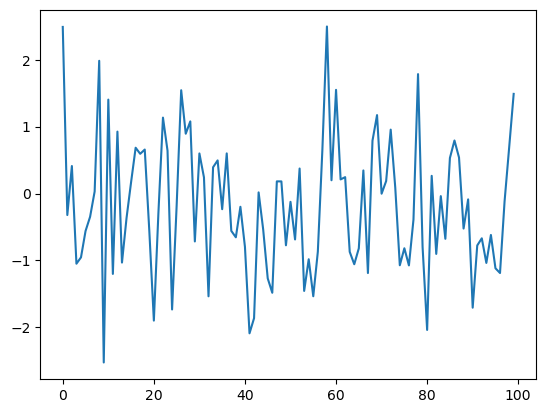
ഈ program-നെ നമ്മൾ രണ്ട് ഭാഗങ്ങളായി break down ചെയ്ത്:
random variables-ന്റെ ഒരു list generate ചെയ്യുന്ന user-defined function.
program-ന്റെ പ്രധാന ഭാഗം, അത്
data ലഭിക്കാൻ ഈ function call ചെയ്യുന്നു
data plot ചെയ്യുന്നു
ഇത് അടുത്ത program-ൽ accomplish ചെയ്യപ്പെടുന്നു
def generate_data(n):
    ϵ_values = []
    for i in range(n):
        e = rng.standard_normal()
        ϵ_values.append(e)
    return ϵ_values

data = generate_data(100)
plt.plot(data)
plt.show()
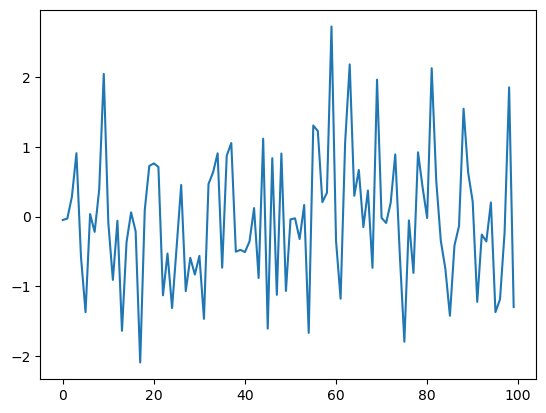
interpreter generate_data(100) എന്ന expression-ൽ എത്തുമ്പോൾ, n, 100-ന് equal ആയി set ചെയ്ത് function body execute ചെയ്യുന്നു.
ഇതിന്റെ net result, data എന്ന പേര് function return ചെയ്ത ϵ_values എന്ന list-ലേക്ക് bind ചെയ്യപ്പെടും എന്നതാണ്.
1.4.2. Adding Conditions#
നമ്മുടെ generate_data() function കുറച്ചൊക്കെ limited ആണ്.
ആവശ്യമുള്ളപ്പോൾ \((0, 1)\)-ൽ standard normals-ഓ uniform random variables-ഓ return ചെയ്യാനുള്ള കഴിവ് നൽകി, ഇതിനെ കുറച്ചുകൂടെ ഉപയോഗപ്രദമാക്കാം.
താഴെയുള്ള code piece-ൽ ഇത് achieve ചെയ്യപ്പെടുന്നു.
def generate_data(n, generator_type):
    ϵ_values = []
    for i in range(n):
        if generator_type == 'U':
            e = rng.uniform(0, 1)
        else:
            e = rng.standard_normal()
        ϵ_values.append(e)
    return ϵ_values

data = generate_data(100, 'U')
plt.plot(data)
plt.show()
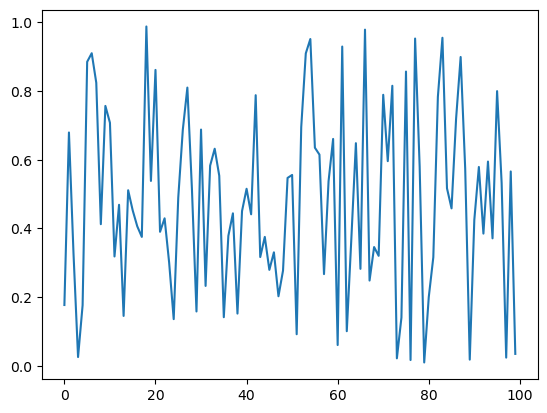
if/else clause-ന്റെ syntax self-explanatory ആണെന്ന് പ്രതീക്ഷിക്കുന്നു, code blocks-ന്റെ extent വീണ്ടും indentation delimit ചെയ്യുന്നു.
Notes
Uഎന്ന argument ഒരു string ആയാണ് നമ്മൾ pass ചെയ്യുന്നത്, അതുകൊണ്ടാണ് നമ്മൾ അതിനെ'U'എന്ന് എഴുതുന്നത്.equality test ചെയ്യുന്നത്
==syntax ഉപയോഗിച്ചാണ്,=അല്ല എന്നത് ശ്രദ്ധിക്കുക.ഉദാഹരണത്തിന്,
a = 10എന്ന statementaഎന്ന പേരിനെ10എന്ന value-യിലേക്ക് assign ചെയ്യുന്നു.a == 10എന്ന expression,a-യുടെ value അനുസരിച്ച്True-ഓFalse-ഓ ആയി evaluate ചെയ്യപ്പെടും.
ഇനി, മുകളിലുള്ള code simplify ചെയ്യാൻ പല വഴികളും ഉണ്ട്.
ഉദാഹരണത്തിന്, ആവശ്യമുള്ള generator type-നെ ഒരു function, method, അല്ലെങ്കിൽ മറ്റേതെങ്കിലും callable object ആയി pass ചെയ്തുകൊണ്ട് conditionals എല്ലാം ഒഴിവാക്കാം.
ഇത് മനസ്സിലാക്കാൻ, താഴെയുള്ള version കണക്കിലെടുക്കുക.
def generate_data(n, generator_type):
    ϵ_values = []
    for i in range(n):
        e = generator_type()
        ϵ_values.append(e)
    return ϵ_values

data = generate_data(100, rng.uniform)
plt.plot(data)
plt.show()
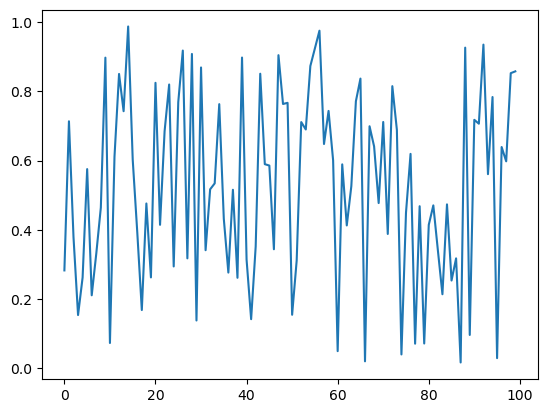
ഇനി, generate_data() function call ചെയ്യുമ്പോൾ, രണ്ടാമത്തെ argument ആയി നമ്മൾ rng.uniform pass ചെയ്യുന്നു.
ഈ object ഒരു callable ആണ് — അതായത്, parentheses ഉപയോഗിച്ച് call ചെയ്യാൻ കഴിയുന്ന object.
generate_data(100, rng.uniform) എന്ന function call execute ചെയ്യുമ്പോൾ, n, 100-ന് equal ആയും generator_type എന്ന പേര് rng.uniform എന്ന callable-ലേക്ക് "bound" ആയും വച്ചുകൊണ്ട് Python function code block run ചെയ്യുന്നു.
ഈ lines execute ചെയ്യുന്ന സമയത്ത്,
generator_type-ഉംrng.uniform-ഉം "synonyms" ആണ്, അവ ഒരേപോലെ ഉപയോഗിക്കാം.
ഈ principle കൂടുതൽ generally-യിലും പ്രവർത്തിക്കുന്നു --- ഉദാഹരണത്തിന്, താഴെയുള്ള code piece കണക്കിലെടുക്കുക
max(7, 2, 4) # max() is a built-in Python function
7
m = max
m(7, 2, 4)
7
ഇവിടെ built-in function ആയ max()-ന് നമ്മൾ മറ്റൊരു പേര് create ചെയ്തു, അത് ഒരേപോലെ ഉപയോഗിക്കാൻ കഴിയും.
നമ്മുടെ program-ന്റെ context-ൽ, functions-ലേക്ക്, അല്ലെങ്കിൽ more generally callable objects-ലേക്ക്, പേരുകൾ bind ചെയ്യാനുള്ള ഈ കഴിവ് അർത്ഥമാക്കുന്നത്, മുകളിൽ rng.uniform-ഉം ചെയ്തതുപോലെ, ഒരു callable object-നെ മറ്റൊരു callable-ലേക്ക് argument ആയി pass ചെയ്യുന്നതിൽ ഒരു പ്രശ്നവുമില്ല എന്നാണ്.
1.5. Recursive Function Calls (Advanced)#
ഇത് ഒരു advanced topic ആണ്, ഇത് skip ചെയ്യാൻ നിങ്ങൾക്ക് സ്വാതന്ത്ര്യമുണ്ട്.
അതേസമയം, ഇത് ഒരു neat ആശയമാണ്, നിങ്ങളുടെ programming career-ന്റെ ഏതെങ്കിലും ഘട്ടത്തിൽ ഇത് പഠിക്കണം.
അടിസ്ഥാനപരമായി, ഒരു recursive function എന്നത് സ്വയം call ചെയ്യുന്ന ഒരു function ആണ്.
ഉദാഹരണത്തിന്, ഏതെങ്കിലും t-ന് \(x_t\) compute ചെയ്യുന്ന problem കണക്കിലെടുക്കുക, ഇവിടെ
വ്യക്തമായും ഉത്തരം \(2^t\) ആണ്.
ഒരു loop ഉപയോഗിച്ച് നമുക്ക് ഇത് എളുപ്പത്തിൽ compute ചെയ്യാം
def x_loop(t):
    x = 1
    for i in range(t):
        x = 2 * x
    return x
താഴെ കാണുന്ന രീതിയിൽ ഒരു recursive solution-ഉം നമുക്ക് ഉപയോഗിക്കാം
def x(t):
    if t == 0:
        return 1
    else:
        return 2 * x(t-1)
ഇവിടെ സംഭവിക്കുന്നത്, ഓരോ തുടർച്ചയായ call-ഉം stack-ൽ അതിന്റേതായ frame ഉപയോഗിക്കുന്നു എന്നതാണ്
ഒരു നൽകിയ function call-ന്റെ local variables സൂക്ഷിക്കുന്ന സ്ഥലമാണ് frame
function calls process ചെയ്യാൻ ഉപയോഗിക്കുന്ന memory ആണ് stack
ഒരു last-in, first-out (LIFO) data structure
ഈ ഉദാഹരണം കുറച്ച് contrived ആണ്, കാരണം സാധാരണയായി ആദ്യത്തെ (iterative) solution ആണ് recursive solution-നേക്കാൾ preferred ആയിരിക്കുക.
recursion-ന്റെ കുറച്ചുകൂടെ contrived അല്ലാത്ത applications നമ്മൾ പിന്നീട് കാണും.
1.6. Exercises#
Exercise 1.1
\(n!\) എന്നത് "\(n\) factorial" എന്ന് വായിക്കപ്പെടുന്നു എന്നും, \(n! = n \times (n - 1) \times \cdots \times 2 \times 1\) എന്ന് define ചെയ്യപ്പെടുന്നു എന്നും ഓർക്കുക.
ഇവിടെ \(n\)-നെ ഒരു positive integer ആയി മാത്രമേ നമ്മൾ കണക്കിലെടുക്കൂ.
വ്യത്യസ്ത modules-ൽ ഇത് compute ചെയ്യാൻ functions ഉണ്ട്, പക്ഷേ ഒരു exercise ആയി നമുക്ക് സ്വന്തം version എഴുതാം.
പ്രത്യേകിച്ചും, ഏതെങ്കിലും positive integer \(n\)-ന്, factorial(n), \(n!\) return ചെയ്യുന്ന വിധത്തിൽ factorial എന്നൊരു function എഴുതുക.
Solution
Here's one solution:
def factorial(n):
    k = 1
    for i in range(n):
        k = k * (i + 1)
    return k

factorial(4)
24
Exercise 1.2
Binomial random variable \(Y \sim Bin(n, p)\), \(n\) binary trials-ൽ ഉള്ള successes-ന്റെ എണ്ണത്തെ represent ചെയ്യുന്നു, ഇവിടെ ഓരോ trial-ഉം \(p\) probability-യിൽ succeed ചെയ്യുന്നു.
rng = np.random.default_rng() ഉപയോഗിച്ച്, binomial_rv(n, p), \(Y\)-യുടെ ഒരു draw generate ചെയ്യുന്ന വിധത്തിൽ binomial_rv എന്നൊരു function എഴുതുക.
Hint
If \(U\) is uniform on \((0, 1)\) and \(p \in (0,1)\), then the expression U < p evaluates to True with probability \(p\).
Solution
Here is one solution:
rng = np.random.default_rng()

def binomial_rv(n, p):
    count = 0
    for i in range(n):
        U = rng.uniform()
        if U < p:
            count = count + 1    # Or count += 1
    return count

binomial_rv(10, 0.5)
6
Exercise 1.3
ആദ്യം, താഴെയുള്ള random device-ന്റെ ഒരു realization return ചെയ്യുന്ന ഒരു function എഴുതുക
ഒരു unbiased coin 10 തവണ flip ചെയ്യുക.
ഈ sequence-ൽ head,
kതവണയോ അതിലധികമോ consecutively ഒരു തവണയെങ്കിലും വന്നാൽ, ഒരു dollar pay ചെയ്യുക.ഇല്ലെങ്കിൽ, ഒന്നും pay ചെയ്യരുത്.
രണ്ടാമതായി, മുകളിലുള്ള random device-ന്റെ രണ്ടാമത്തെ rule താഴെപ്പറയുന്ന വിധത്തിൽ ആകുന്നത് ഒഴികെ, ഇതേ task ചെയ്യുന്ന മറ്റൊരു function എഴുതുക
ഈ sequence-ൽ head
kതവണയോ അതിലധികമോ വന്നാൽ, ഒരു dollar pay ചെയ്യുക.
random numbers generate ചെയ്യാൻ rng = np.random.default_rng() ഉപയോഗിക്കുക.
Solution
ആദ്യത്തെ random device-ന് ഒരു function താഴെ കാണാം.
rng = np.random.default_rng()

def draw(k):  # pays if k consecutive successes in a sequence

    payoff = 0
    count = 0

    for i in range(10):
        U = rng.uniform()
        count = count + 1 if U < 0.5 else 0
        print(count)    # print counts for clarity
        if count == k:
            payoff = 1

    return payoff

draw(3)
1
2
0
0
0
1
2
0
0
0
0
രണ്ടാമത്തെ random device-ന് വേണ്ടിയുള്ള മറ്റൊരു function താഴെ കാണാം.
def draw_new(k):  # pays if k successes in a sequence

    payoff = 0
    count = 0

    for i in range(10):
        U = rng.uniform()
        count = count + ( 1 if U < 0.5 else 0 )
        print(count)
        if count == k:
            payoff = 1

    return payoff

draw_new(3)
1
1
2
3
3
3
4
5
6
7
1
1.7. Advanced Exercises#
താഴെയുള്ള exercises-ൽ, നമ്മൾ ഒരുമിച്ച് recursive functions എഴുതും.
Exercise 1.4
The Fibonacci numbers are defined by
The first few numbers in the sequence are \(0, 1, 1, 2, 3, 5, 8, 13, 21, 34, 55\).
Write a function to recursively compute the \(t\)-th Fibonacci number for any \(t\).
Solution
Here's the standard solution
def x(t):
    if t == 0:
        return 0
    if t == 1:
        return 1
    else:
        return x(t-1) + x(t-2)
Let's test it
print([x(i) for i in range(10)])
[0, 1, 1, 2, 3, 5, 8, 13, 21, 34]
Exercise 1.5
Exercise 1-ലെ factorial() function-നെ recursion ഉപയോഗിച്ച് വീണ്ടും എഴുതുക.
Solution
Here's the standard solution
def recursion_factorial(n):
   if n == 1:
       return n
   else:
       return n * recursion_factorial(n-1)
Let's test it
print([recursion_factorial(i) for i in range(1, 10)])
[1, 2, 6, 24, 120, 720, 5040, 40320, 362880]